
Your customers shouldn't need Kubernetes expertise to run your application
If you ship software into customer-managed environments, some of your customers don't run Kubernetes and have no plans to start. Embedded Cluster is how you reach them. You ship your application and a Kubernetes cluster together as one appliance, and your customer runs a single installer on their own Linux hosts, online or air gapped, to get both configured and running.
Embedded Cluster v2 has run in production for a lot of vendors and their customers, and everything we learned from those installs went into v3. v3 takes what worked and makes the whole experience lighter for your customers. The console now runs on the host instead of inside the cluster, the guided experience starts before the cluster even exists, high availability takes care of itself, and upgrades can run straight from a customer's pipeline.
Today, Embedded Cluster v3 is generally available, and it's the version we recommend for embedded installations going forward.
A guided install from the very first step
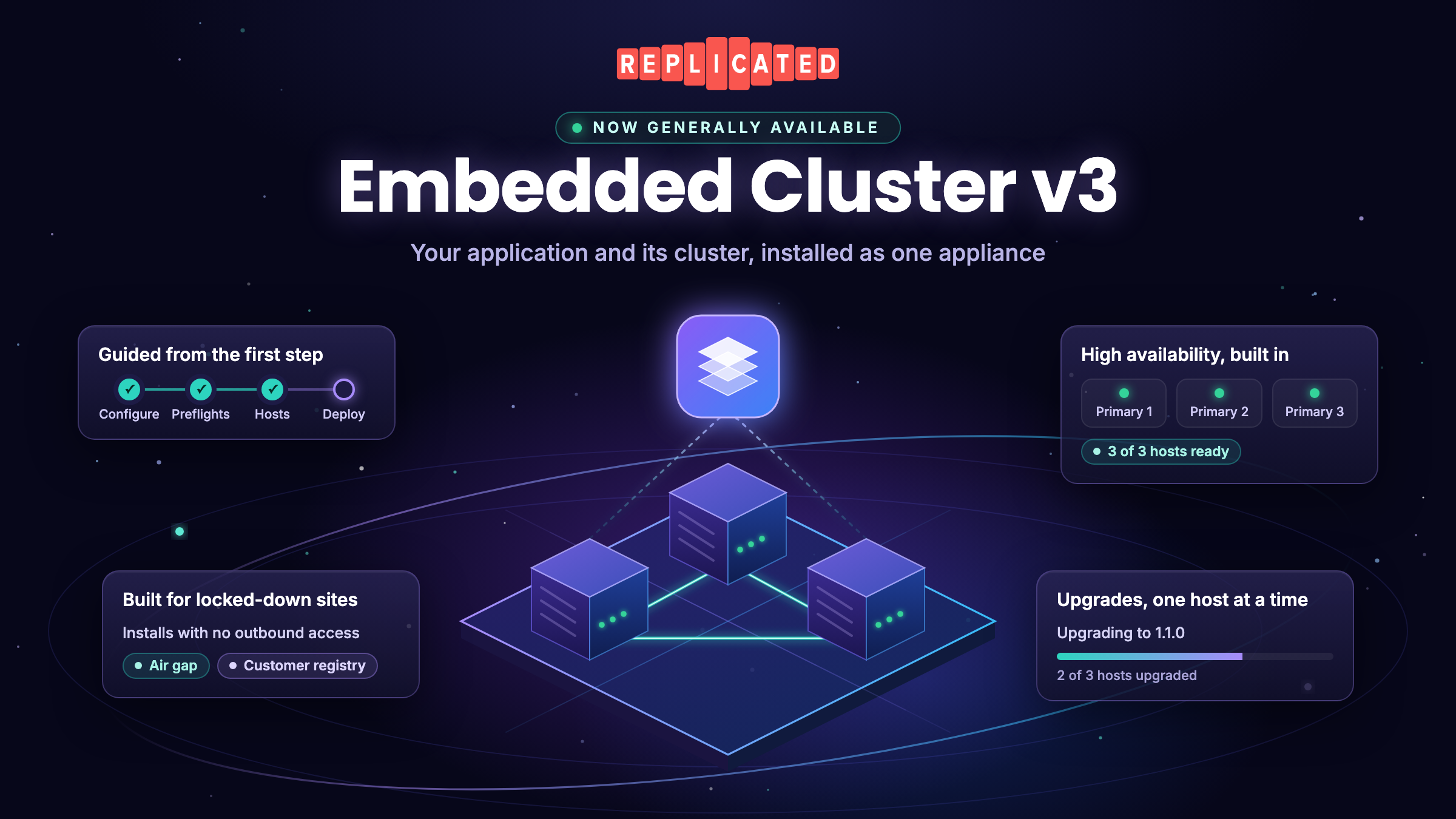
In v3 the installer serves its own browser UI, so the whole install sits behind one guided flow, including bringing up the cluster. Your customer configures your application and their environment up front, runs host and application preflight checks, and adds hosts. The installer then brings up the cluster and deploys your application. The screens use plain language (hosts, primary hosts, infrastructure components) in place of Kubernetes terms, so an operator who has never worked with Kubernetes can still get through it.
When something goes wrong, the installer says what. Failed preflight checks show their details, an operator who corrects a configuration value picks up again at the preflight step, and the failure screen offers to generate a support bundle right there.

High availability without the guesswork
Many of your customers need their installation to keep running when a host goes down, and in v3 they get there without having to know how a highly available cluster is put together. High availability turns on automatically once three primary hosts are present. The installer won't let a cluster sit at two primary hosts, a setup that looks redundant but can't survive losing either one.
Growing a cluster is part of the normal flow. Customers add hosts in the installer before your application deploys, or any time after from the console, the command line, or the external API, and pick from roles you define for each host. Removing a host is a documented operation that checks first that the cluster will stay healthy.
Staying available continues through upgrades. Primary hosts upgrade one at a time, so the cluster keeps running while each one updates, and secondary hosts follow. The console is available from any primary host, so your customer can reach it from a different host if one is down. See Manage multi-host clusters.

A console that's always there, outside the cluster
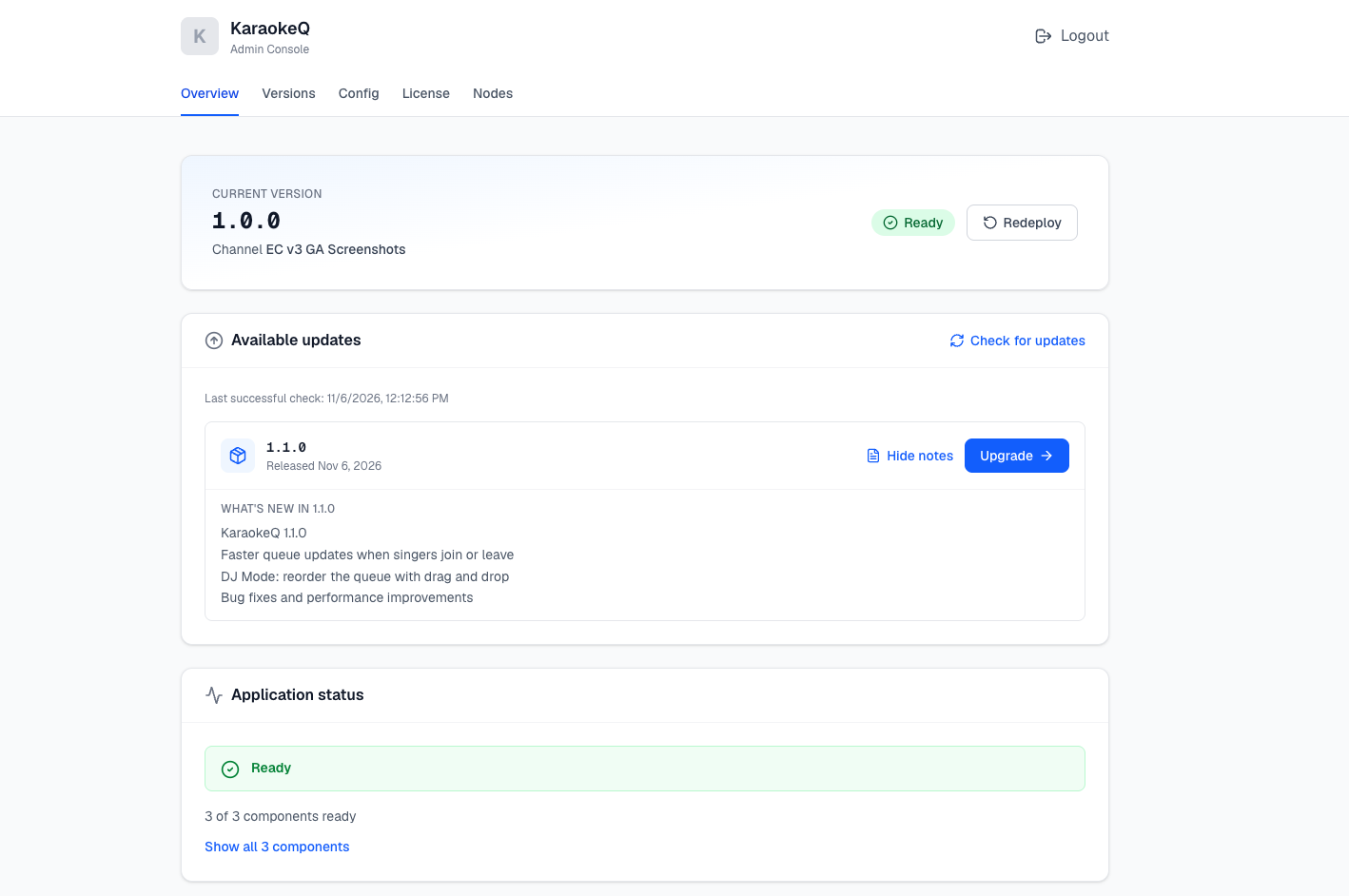
Your customers still get a browser console after install, and it's on by default. The difference is where it runs. The console is a service on the host, not a workload inside the cluster. From the console, your customer can do the following:
- See available updates and release notes, and start an upgrade
- Upload an air gap release
- Change configuration values and redeploy
- Update their license
- Add and remove hosts on the cluster
- Review version history and application status
- Configure backups
- Generate a support bundle
Some of these replace work that used to be a heavier process. In an air gap environment, updating a license used to mean moving a full release bundle. Now your customer uploads the new license file in the console and redeploys.
Your branded Enterprise Portal works alongside the console for both online and air gap installs, with install and upgrade instructions, release notes, and downloads in one place. When you promote a new release, Enterprise Portal release notifications bring your customers back to it. Your customer chooses how to hear about it, by email or through a webhook they configure in the portal, which lets their own automation kick off the upgrade.
A smaller footprint for security teams to review
In v3, no Replicated management component runs inside the cluster. The cluster runs your application and the infrastructure components it depends on, which leaves less inside the cluster for a customer's security team to review.
Embedded Cluster keeps credentials in the cluster as Kubernetes secrets. The few that have to stay on the host, so the console can sign users in and the host can pull images even when the cluster is down, are readable only by root, and the console password is stored as a bcrypt hash. The bundles a host downloads to join the cluster, upgrade, or restore carry no secrets at all. Support bundles also redact TLS private keys, registry credentials and the license ID before they leave the customer's environment. Every v3 release is signed, too. Installer binaries and release archives carry keyless Sigstore signatures, SLSA build provenance and a signed SBOM.
Built for locked-down environments
Embedded Cluster v3 supports online and air gap installs. In an air gap install, everything the cluster needs ships in the bundle, including the Helm charts for any extensions you add. v3 never pulls a chart from a repository at install time, so an install doesn't depend on the customer's network reaching outside hosts.
Some enterprise customers go further and won't run any image pulled from a registry they don't own. For them, v3 can install against a customer-managed registry. The cluster pulls every image from a single OCI registry the customer controls, covering your application and the infrastructure components alike, instead of pulling from the Replicated proxy registry. That opens a supported path for customers who block outbound traffic to proxy.replicated.com, scan and sign every image before it runs, or already mirror third-party images centrally.
Customers don't have to decide on day one. A customer can bring the cluster up against the default registry to start testing, then switch to their own registry once their image review is done, without reinstalling. The same applies later if they rotate credentials, move to a different registry, or switch back. See Install with a customer-managed registry.
Upgrades that run in a defined order
Your customer starts an upgrade on one primary host, from the console or the command line, and v3 carries it to the rest of the cluster in order. Nobody copies files between machines or logs in to each host.
Host preflight checks run on upgrade as well as install, and any check you mark as strict can't be bypassed. Kubernetes moves one minor version at a time, so if a customer has fallen too far behind, v3 tells them which releases to install first and doesn't let them attempt a jump that would fail.

Upgrades your customers can automate
For customers who run everything from a pipeline, upgrades don't need the console at all. An Enterprise Portal webhook tells their automation when a new release is out, and a single headless command applies it:
sudo ./APP_SLUG upgrade --license license.yaml --headless \
  --config-values config-values.yaml
Configuration comes in as a file, so it can live in version control next to the rest of the customer's infrastructure. If nothing in the configuration changed, the customer leaves the file out and v3 keeps what's already there. A new version then flows through their deployment pipeline the way any other change does.
The same approach extends to the rest of the cluster's life. Single-host installs can run headless too, and once a cluster is running, new hosts can request a join command from the Embedded Cluster API and join themselves with no operator involved. See Upgrade using the CLI (headless).
Backup and restore
If your application packages Velero, Embedded Cluster v3 can restore it onto new hosts after a loss. Your customer configures backups in the console, pointing at S3-compatible storage or an external NFS server, and sets schedules there. S3 storage can authenticate with access keys, an IAM role, or OIDC. Backups work in online and air gap installs.
To restore, the operator runs the installer on a clean host with the same release bundle. Embedded Cluster rebuilds the cluster, reapplies the install settings the customer originally chose (custom network ranges or a customer-managed registry, for example), waits for the replacement hosts to join, then restores your application through Velero. A restore can run from the browser or headless.
You decide what Velero version and plugin your application ships and what your backup and restore policies cover, and you keep those up to date. That gives you full control over how backups work for your application. See Back up and restore Embedded Cluster v3.
Moving your customers from v2 to v3
Existing customers upgrade in place. On the first host, they download the v3 installer and run the upgrade. The installer detects the v2 installation, asks them to confirm, and carries their configuration forward, so they don't re-enter anything. Their existing backup destination, credentials and schedule come across too. For a single-host install, that's the whole upgrade.
On a multi-host cluster there's one extra step this one time. The wizard shows a single command for each remaining host, and the customer runs it there to download the upgrade from the first host and apply it. After every host is on v3, later upgrades carry across the cluster automatically.
The upgrade is one-way. Kubernetes moves one minor version at a time, so a customer who's more than one minor version behind makes an intermediate hop first. v3 releases don't appear as available updates in the v2 Admin Console, by design, so nobody upgrades by accident before your release is ready. Your customers get the v3 installer from the Enterprise Portal or by downloading it directly. See Upgrade from Embedded Cluster v2.
Getting started
Much of a release built for Embedded Cluster v2 carries straight over. The template functions it uses render in v3, and a single v1beta3 preflight spec packaged in your Helm chart is now the recommended spec for every release, working across v3, Embedded Cluster v2 2.19.16 and later, and Helm CLI installs. To ship with v3:
- Add an Embedded Cluster Config to your release (apiVersion: embeddedcluster.replicated.com/v1beta1) with a v3 version, for example 3.X.Y+k8s-1.37. See Embedded Cluster Config.
- Package your application as Helm charts with HelmChart v2 (kots.io/v1beta2) resources, and bundle any extension charts in the release.
- Use a single troubleshoot.sh/v1beta3 application preflight spec, in a labeled Secret in your Helm chart.
- Include the Replicated SDK, which v3 uses to report instance status to the Vendor Portal.
- Enable the Embedded Cluster install type for your customer, and disaster recovery if they need backups.
- Promote the release and send your customer to the Enterprise Portal for guided install instructions.
If you're coming from v2, the v2 to v3 migration guide covers the remaining changes. The Embedded Cluster overview covers everything else. If you'd like a walkthrough, or you're planning a move from v2, reach out to your account team. We're happy to help.