.png)
What’s New for Embedded Cluster
Embedded Cluster 2.15.0 uses Helm v4. As of version 2.15.0, Embedded Cluster installs Helm chart applications using Helm v4.
What’s New for Vendor Portal
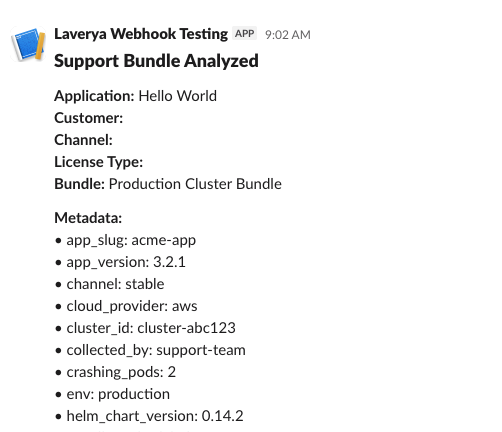
Enhanced support bundle metadata and naming. Vendors can now use the SDK API to capture metadata including severity, environment, error type, support ticket ID, and customer notes alongside support bundles at collection time. The Vendor Portal extracts metadata from support bundles when they are uploaded, and uses the metadata to automatically set a customizable display name for the bundle. The support bundle name and metadata fields are also included in the message for all Support Bundle Analyzed event notifications. Docs.
Filter, list, and download support bundles with the Vendor API. The Vendor API has a new /v3/supportbundle/:bundleId/download endpoint that vendors can use to download support bundles programmatically. Additionally, the /v3/supportbundles endpoint is updated to include date range and severity filters. Combined with the existing single-bundle metadata endpoint (which returns customer, instance, channel, and analysis data), vendors can now use the Vendor API to filter and export customer support bundle data to external tools like Grafana, ServiceNow, Salesforce, or LLM analysis workflows. Docs.
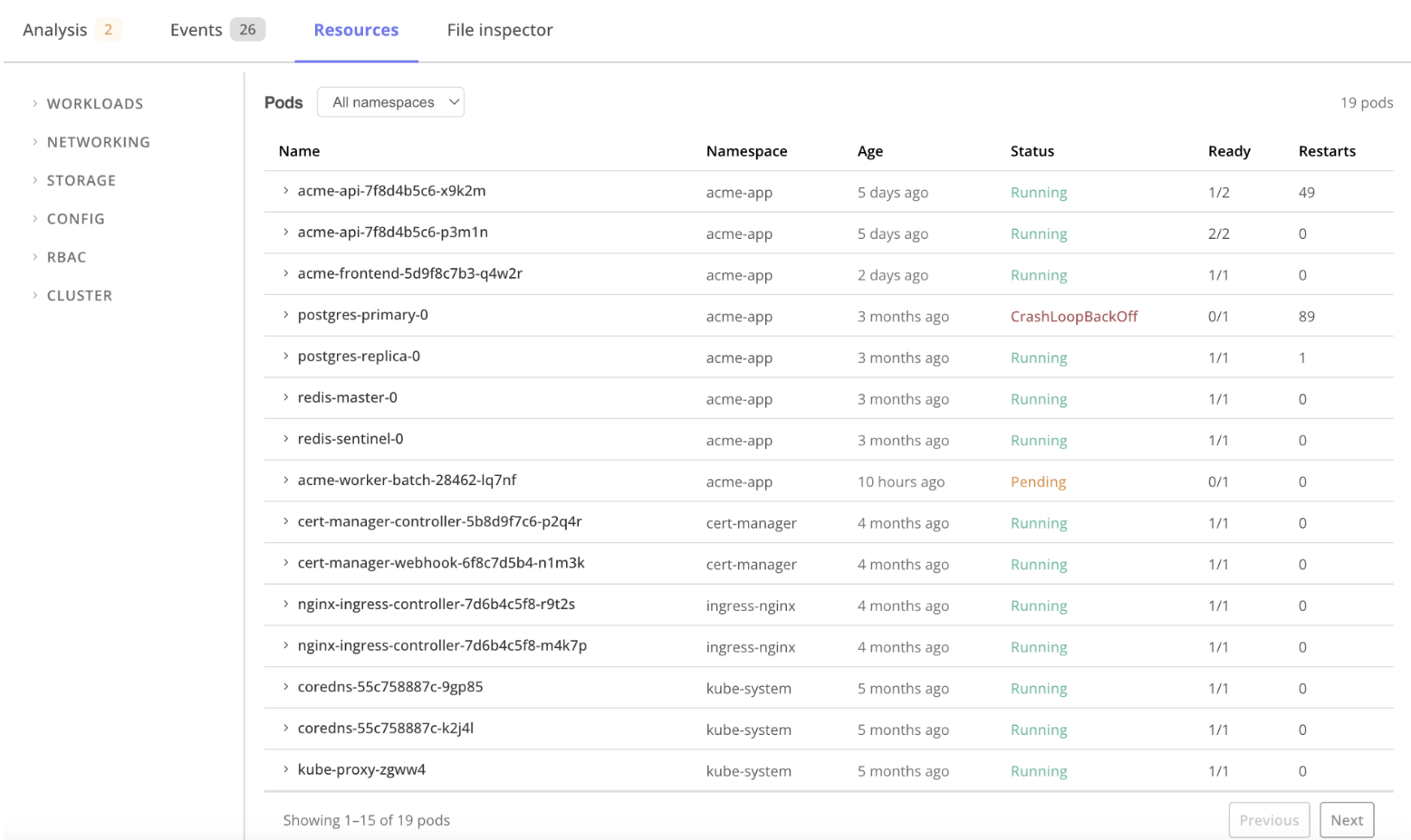
Structured support bundle views in the Vendor Portal. Vendors can browse Kubernetes events, pod statuses, container logs, and resource inventory directly in the Vendor Portal support bundle detail page without having to download and extract the bundle.
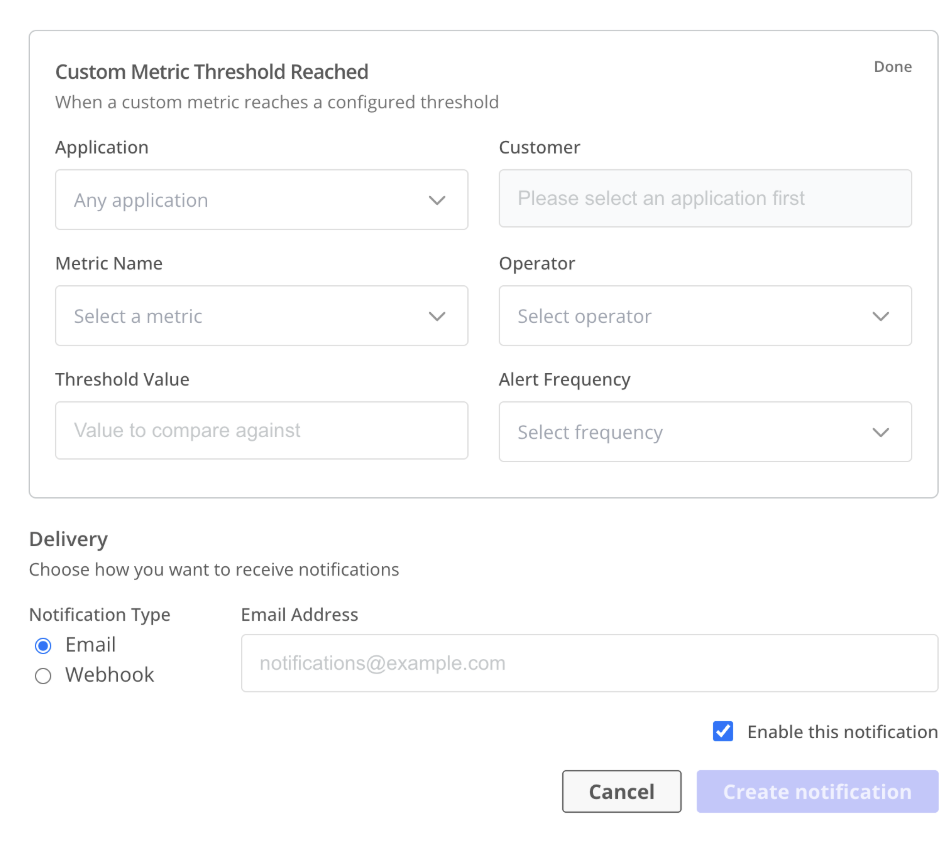
Added several new event types for notifications. These new event types help vendors proactively monitor the health and status of application instances running in customer environments, and get visibility into customers’ progress on installing and upgrading instances. For example, vendors can set up automated alerts when custom metric values meet configurable thresholds, when instances are stuck in an unhealthy state for a configurable period of time, when a customer first pulls a release asset through the Enterprise Portal, and when an instance upgrade has been started or completed. Docs.
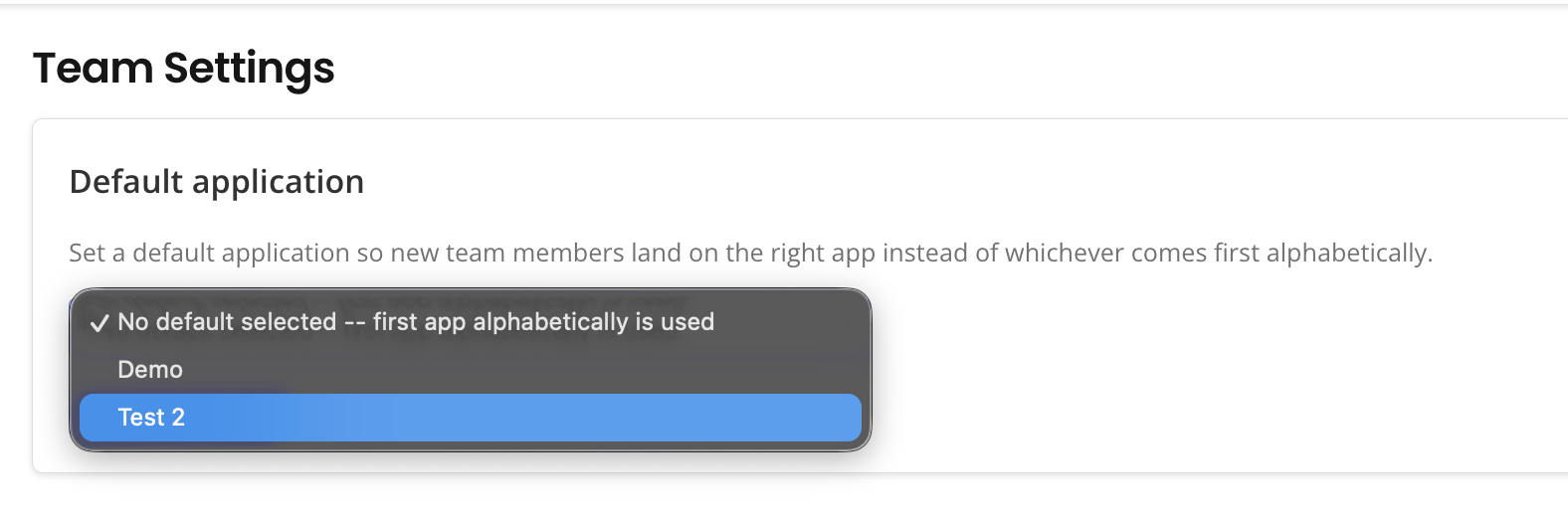
Admins can set a default application for their team. When team admins set a default application, the Vendor Portal automatically directs any new team member to the default application on their first login. This helps reduce confusion for new users about which application to use. Docs.
What’s New for Enterprise Portal
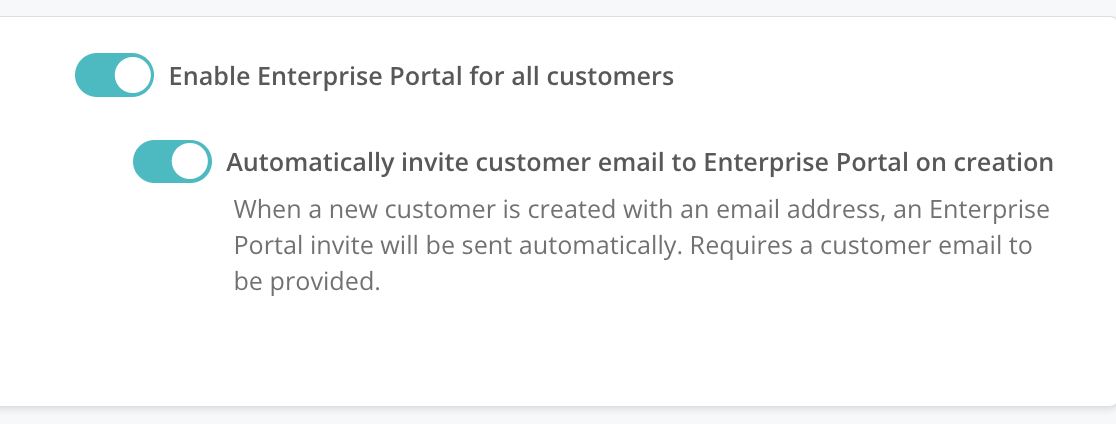
Automatically send an Enterprise Portal invitation to new customers. Vendors can enable the “Automatically invite customer email to Enterprise Portal on creation” toggle so that the Vendor Portal automatically sends an Enterprise Portal invitation to each new customer. This allows vendors to automate an important step in customer onboarding. Docs.
Browser-based download option for air gap installation bundles in the Enterprise Portal. In support of enterprise customers who cannot run curl commands in their environment, the Enterprise Portal now offers an "Or click to download" link for Linux air gap installations.
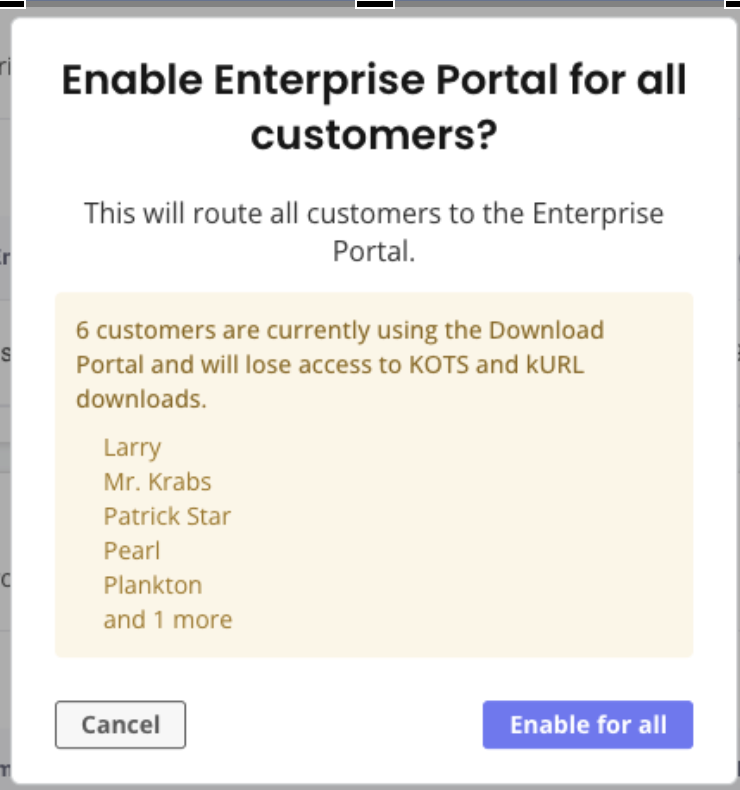
UX improvements to the Enterprise Portal access controls in the Vendor Portal. These improvements make it easier for vendors to track which customers use the Enterprise Portal or the Download Portal, reducing confusion and accidental misconfiguration. Docs.