
.png)
What’s New for Embedded Cluster
Native support for Velero plugins (Embedded Cluster 2.13.0). Embedded Cluster 2.13.0 adds official support for Velero plugins, which allow vendors to customize backup and restore operations without modifying Velero directly. With this update, vendors can now add their custom Velero plugins in the plugins field of the Embedded Cluster Config, rather than needing to use unsupportedOverrides. Docs.
What’s New for Vendor Portal
Delete channels and customers with the Vendor API. The deletechannel and deletecustomer Vendor API endpoints allow vendors to automate the deletion of channels and development customers (type: "dev"). This is particularly helpful for vendors that use CI-based testing, which can involve creating dozens of customers and channels at a time.
Support for Microsoft Entra SCIM compatibility for SAML logins. This adds case-insensitive SCIM user handling to account for Microsoft Entra’s non-standard request formatting. Docs.
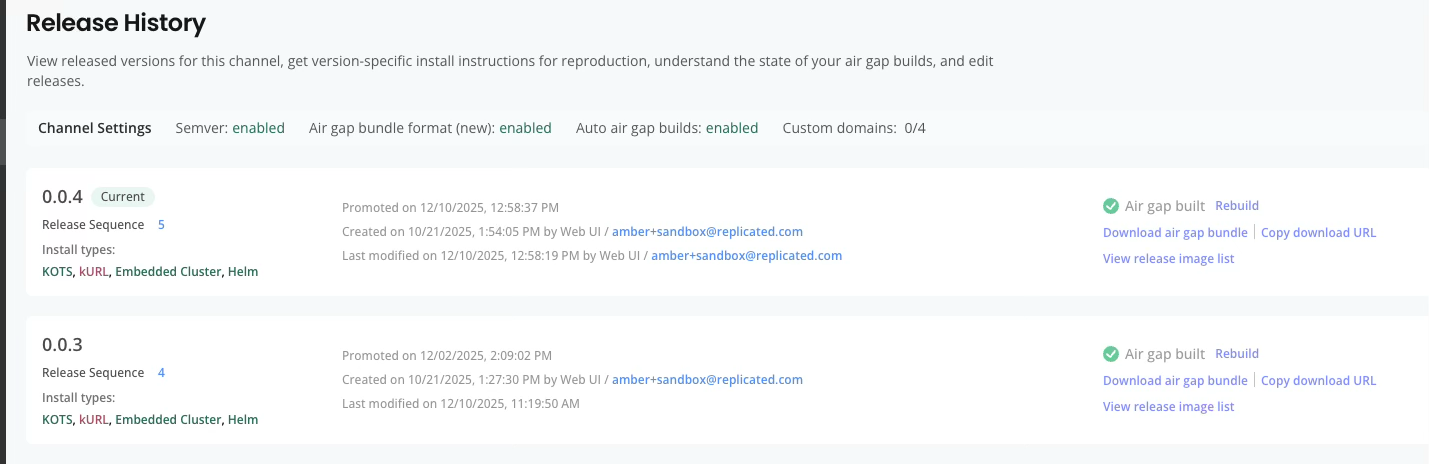
Added a timestamp to the release sequence. In support of vendors that promote several releases per day, the Release History page now includes the timestamp when the release was promoted in addition to the date.
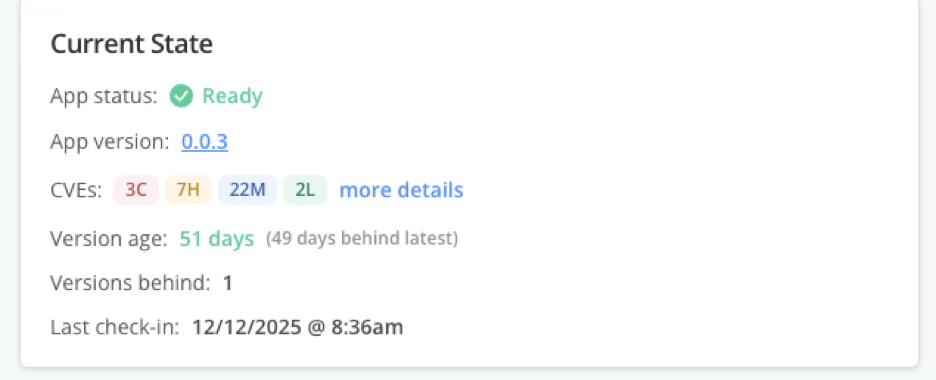
App version link on Instance Insights page navigates directly to the release. The App version link on the Instance Insights page now takes you directly to the relevant release, rather than to the releases overview page.
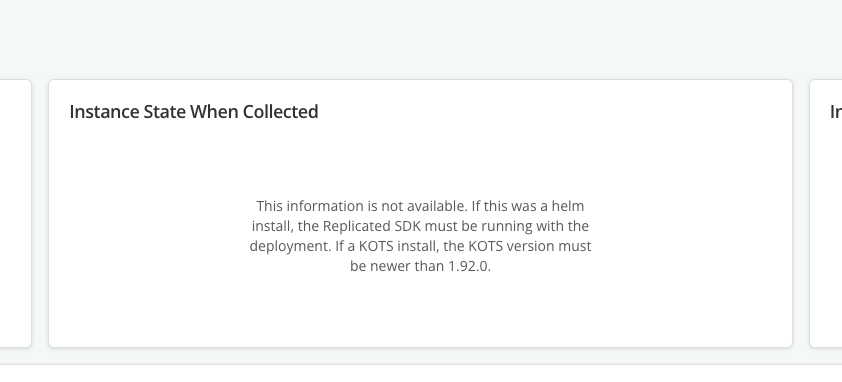
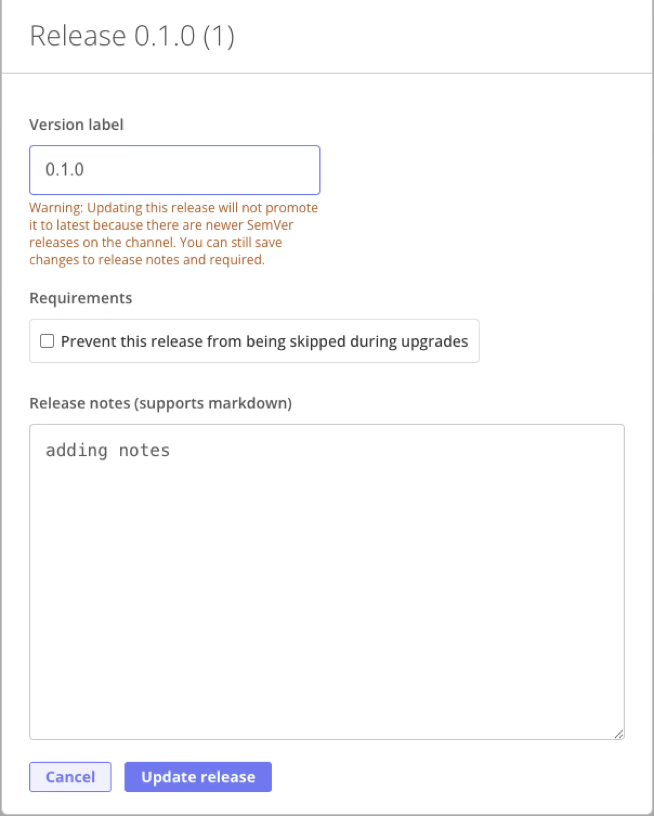
Messaging improvements in the Vendor Portal UI. Various improvements to the messaging in the Vendor Portal UI make it easier for vendors to understand warnings and errors. For example, when instance insights are not available, the Support Bundle Analysis page now displays a clear message that explains the Replicated SDK and minimum KOTS version requirements. Additionally, when editing the properties of an older release version, the messaging is improved so that it is more clearly labeled as a warning (rather than an error), and to clarify that vendors can still proceed to save the updates.
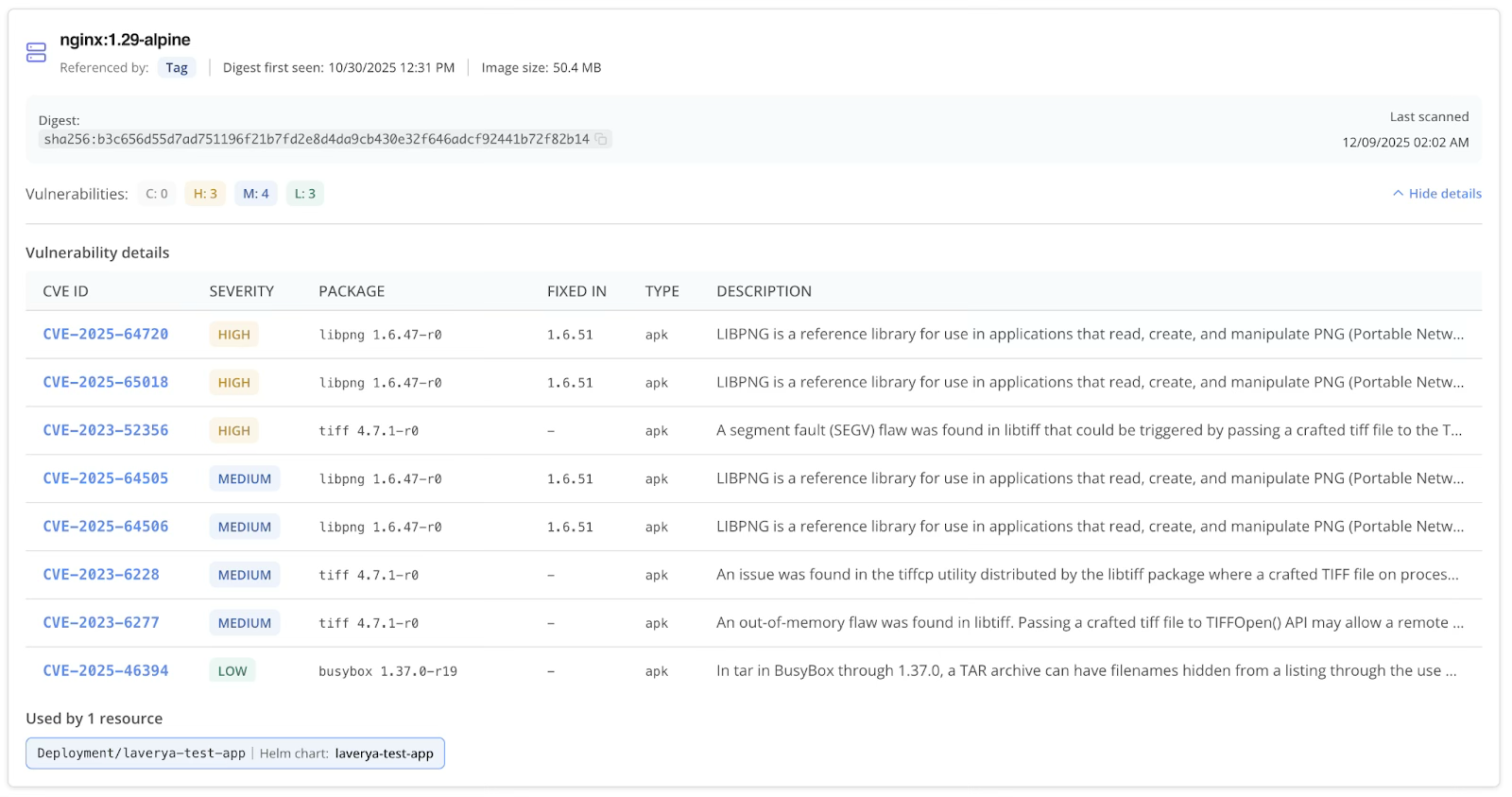
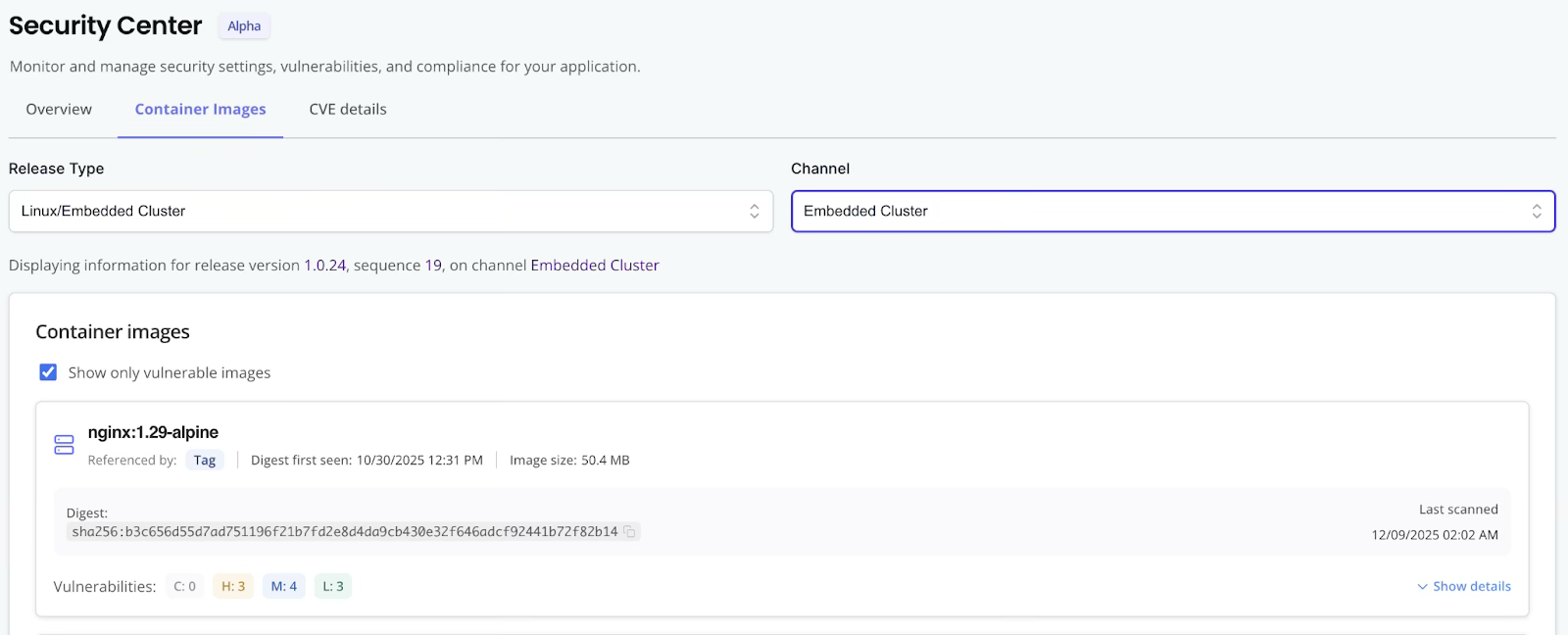
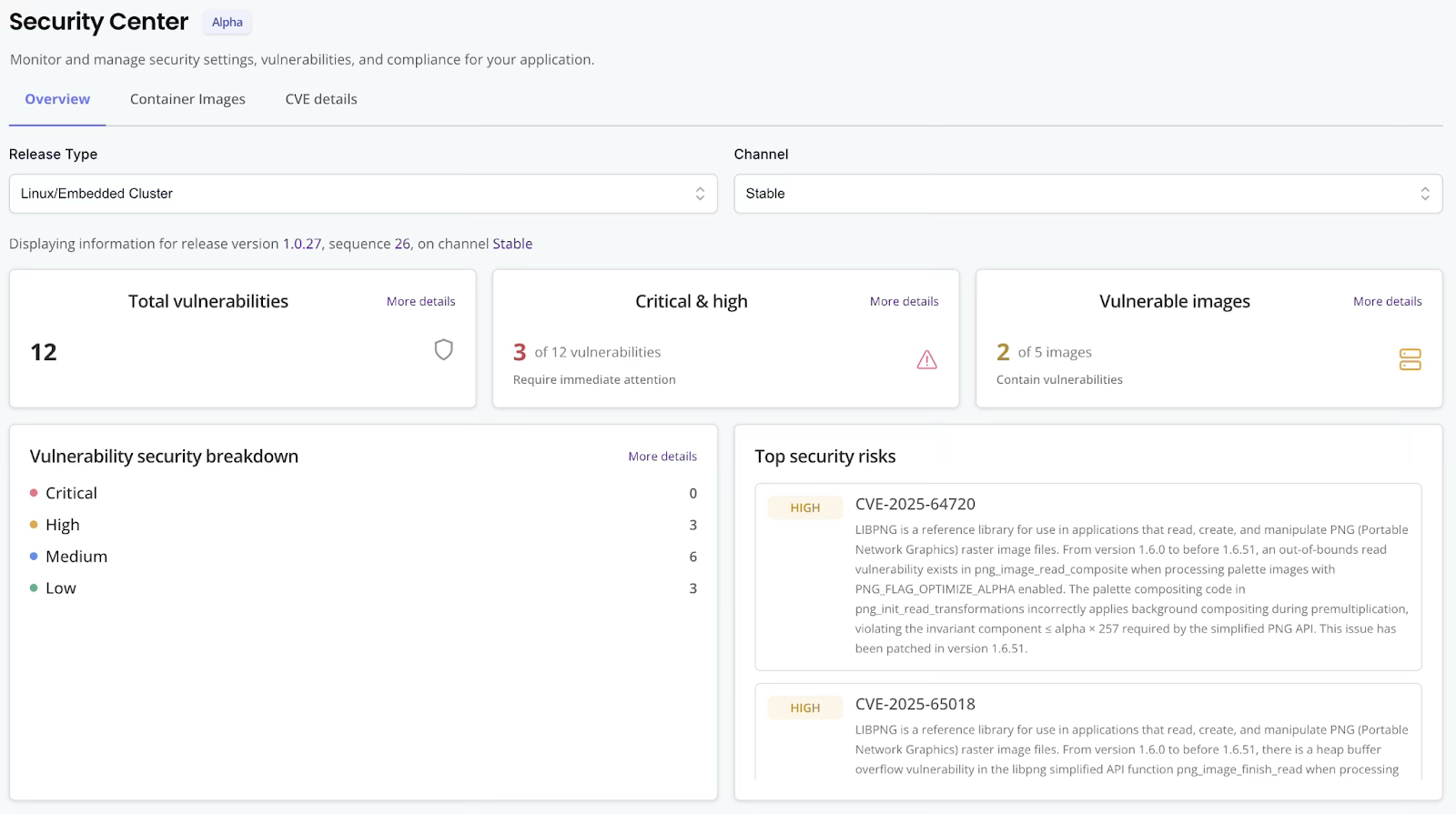
Various improvements to the Vendor Portal Security Center (Alpha). Based on feedback, we made several improvements to both the UX and capabilities of the Security Center (Alpha) Vendor Portal interface:
- The Vendor Portal Security Center now includes source information, which allows vendors to more quickly identify where vulnerable images are referenced in the deployment.
- Note: To see source information, your release must have been promoted, or your existing airgap bundle rebuilt, after December 10, 2025.
- The dashboard more clearly displays which release the information is for, and allows the vendor to click through to make any needed changes on that release.
- Each major overview section on the dashboard now has a “More details” option. And, any flagged images are listed in the context of the total number of images in the release overall. This makes it easier for vendors to access important information directly from the dashboard.
For access to the Security Center Alpha feature, reach out to your Replicated account representative.
What’s New for Enterprise Portal
Enterprise Portal pages that display updatable information are now live updating. With this improvement, users no longer need to refresh their browser to see updates such as instances coming online, new releases becoming available, support bundles uploaded, and more.
Improved visibility into the status of customer emails sent from Enterprise Portal. Enterprise Portal sends out numerous emails like user invites, update notifications and more. With this new capability, vendors can see the status of emails sent by the Enterprise Portal (Sent, Delivered, or Bounced) for all customers or on a per-customer basis. Docs.

Various improvements to the Enterprise Portal Security Center (Alpha). Based on feedback, we made several improvements to both the UX and capabilities of the Security Center (Alpha) Enterprise Portal interface:
- The Security Center in the Enterprise Portal displays CVE information as a comparison between the selected release version and the latest available version. This makes it more clear to end customers what version a CVE was fixed in so that they are encouraged to upgrade.
- It is more clear which release version is being displayed in the Security Center, which version is the latest available to the end customer, and which versions have active instances associated and should be considered for upgrade.
- End customers can view digest and last scanned info on container images. While this information was already available in the Vendor Portal, only the image name was visible through the Enterprise Portal Security Center. With this change, end customers can now see the digest information for the image and when it was last scanned for security vulnerabilities.
For access to the Security Center Alpha feature, reach out to your Replicated account representative.
What’s New for Compatibility Matrix
Various user experience improvements. Compatibility Matrix quality-of-life updates allow vendors to better simulate and test against end customer environments:
- Bug fixes for Network Reports in Vendor Portal and CLI output, to properly capture DNS information from network calls in VMs or VM-based clusters.
- The Time to Live for VMs and clusters is now more accurately reflected in the Vendor Portal, so there is now a reliable countdown of what time is left before a resource will be deleted.
- Kubernetes distributions have been made up-to-date as the 1.35 release has trickled downstream, and older versions are deprecated:
- Updated default Kind version to 1.35
- Removed RKE (Rancher) 1.30 + 1.31
- Removed K3s 1.31.x
- EKS 1.31 moved to extended support
- Also: Fixed an intermittent error with K3s verification failure